


ExtraMile®
4.8184.00 Reviews
App Specs
- Version
- 6.0
- Updated On
- License
- Free
- Downloads
- 100,000+
- Developer
- Chevron U.S.A. Inc.
- Categories
- Maps & Navigation
- Platform
- Android, iOS
Screenshots

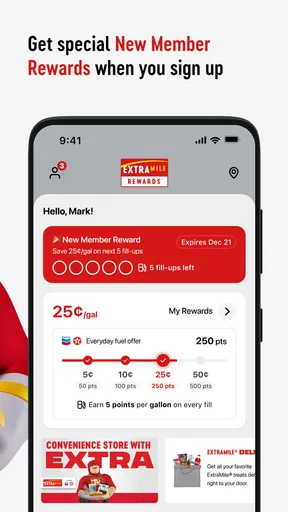
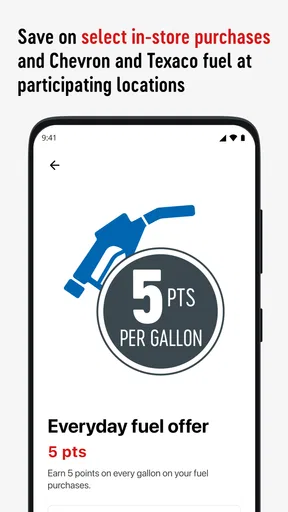
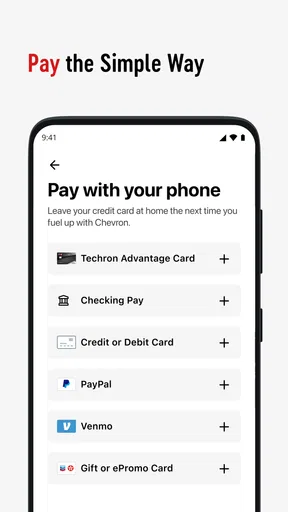
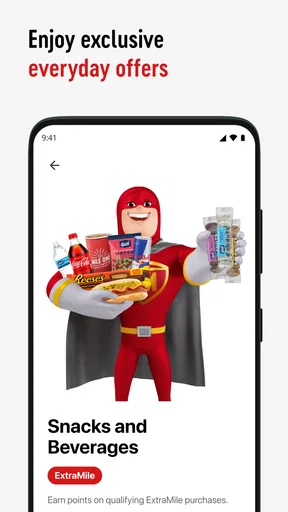
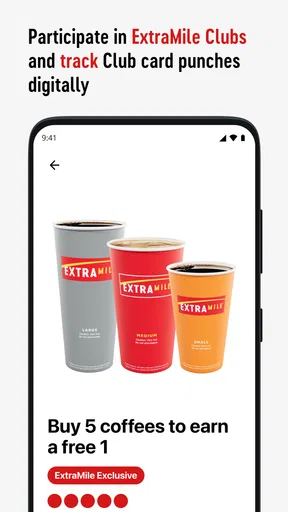
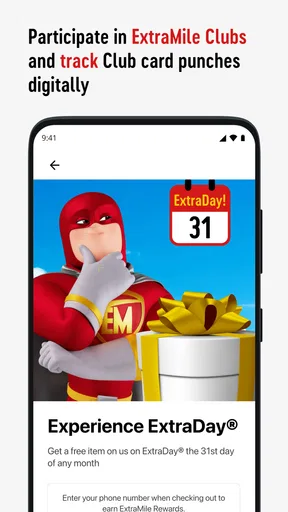
 Analysis by AppCompare
I find ExtraMile® useful for one focused part of a driving routine: paying for fuel without making a trip to the counter. That is a narrower promise than a full navigation app, and it is worth judging it on that basis. If you already stop at participating ExtraMile locations, moving the payment step into the car may make a familiar errand feel simpler. If you want route planning, traffic reports, or a general-purpose map, this is not the app I would choose for that job.
Where the fuel-payment workflow can feel confusing
The main appeal is straightforward, but a fuel payment still depends on several pieces lining up: you need to be at a location where the service is available, have the app ready, and complete the payment flow before fueling. I would treat the app as a convenience for a stop you have already chosen, not as a reason to assume every station on a route will support the same process.
A practical first-use tip is to open the app before you are in a hurry to leave. That gives you a moment to look through the screens and understand where the payment action sits, rather than trying to learn the interface while other drivers are waiting. I would also keep another way to pay available until I had completed a successful transaction; that is sensible backup planning for any app-based purchase, not a sign that the app is unreliable.
It helps to separate the things this app can reasonably simplify from the rest of a fuel stop. Paying from the car can reduce the need to handle the counter portion of the visit, but it does not remove the need to choose a suitable station or follow the instructions shown for the transaction. If a screen does not match what you expected, pause and read it instead of repeatedly tapping through. With payment, a few seconds of checking is better than guessing.
Checks I would make before relying on it
Before a regular trip, I would install the app at home, open it once, and make sure the version is current for my device. ExtraMile® is a free Maps & Navigation app from Chevron U.S.A. Inc.; it is currently version 5.5, with Android support listed from version 8.0. The age rating is Everyone, so it is suitable for a broad audience, though the person making a fuel purchase should still be the one handling the payment steps safely.
I would also check that the phone has a working internet connection before arriving. This is a useful general precaution for an app-based payment flow: a weak connection can interrupt loading or leave a screen slow to respond, even when the phone itself is working normally. If you know you will be driving through an area with patchy reception, do not count on being able to sort out a new setup at the pump.
One small workflow improvement is to avoid doing account or payment setup while parked in a busy forecourt. Taking care of the initial steps beforehand leaves the stop itself for the short task you came to complete. It also makes it easier to notice whether you have entered the right information without feeling rushed. Keep your phone secure and use it only when safely parked; no payment convenience is worth dividing attention while driving.
Worth Reading Before You Choose

EA SPORTS FC Mobile 26 Is a Bigger Football Game, but It Takes Time

Flipboard Shows What News Apps Must Do Beyond the Feed

Switching to Android Auto Means Rethinking Your Driving Routine

Google Calendar Makes a Crowded Week Easier to Manage

Ludo King Makes the Most of the Minutes Between Plans

Baby Panda World Brings Quick Play to Modern Phones, but Its Game Library Feels Busy
Getting back on track if a payment step stalls
If the app appears to hang, I would first check whether the phone still has a connection and whether the screen is waiting for an action. Give it a moment, read any on-screen message, and avoid sending the same payment request repeatedly. Closing and reopening an app can be a reasonable basic troubleshooting step, but before trying again I would verify the status shown in the app or follow its instructions so I do not accidentally duplicate an action.
If the app closes unexpectedly, restarting it and confirming that the phone’s operating system is supported are sensible next steps. The same goes for installing an available app update. I would not delete and reinstall it as my first reaction, especially if I had not checked whether I could sign back in or recover the details needed for use. A little caution can save time at a busy stop.
There is also a useful distinction between a payment that has not started and one whose result is unclear. In the first case, retrying after checking the connection may be reasonable. In the second, I would stop and confirm the transaction status before making another attempt. That is a general payment-safety habit and a better response than treating every slow screen as a failed payment.
When the problem may be outside the app
A slow or unsuccessful experience does not automatically mean the app is at fault. The phone’s signal, a temporary service interruption, device settings, or the specific station’s equipment can all affect an app-assisted stop. If the app opens normally but the transaction cannot proceed, I would follow the displayed guidance and ask station staff for help rather than trying several workarounds at the pump.
Likewise, if the app is not available or useful at the location you are visiting, a regular payment method is the practical alternative. This is where a little flexibility matters: I would not plan a long drive around an assumption that every fuel stop can be handled in exactly the same way. The app can make a compatible stop easier, but it does not replace ordinary backup planning.
Who gets the most from this app
I can see this being most helpful for someone who already makes frequent stops at ExtraMile locations and wants to keep the payment part of a routine quick. For example, imagine leaving work with a low fuel level and stopping on the way home. If the app is already set up and the location supports the flow, handling payment from the car could make that stop less fiddly, especially when you are trying to get back on the road promptly.
It may be less compelling for someone who fills up only occasionally, chooses stations solely by price or route convenience, or prefers to pay in person. In those situations, the benefit may not justify adding another app to the phone. I would also skip relying on it as a navigation tool: despite its Maps & Navigation category, its stated purpose is fuel payment, not replacing a dedicated map or traffic app.
Compared with the usual alternatives, the choice is not really between this app and a full mapping service. A map app helps decide where to go; a card or cash handles payment at many kinds of stops; this app is intended to make a specific fuel-payment routine more convenient. I would use those tools alongside one another rather than expect one to cover every part of a journey.
A grounded look at its reach and trade-offs
The app is free, and its 4.7 average from around 978 ratings suggests that many people have found it worthwhile. More than 100,000 installs indicate that it has reached a meaningful audience, though those figures do not tell me whether it will suit a particular driver’s station routine. Its release date is November 1, 2024, so I would still judge the experience by how well it works for my own device and stops rather than by popularity alone.
The main trade-off is dependence on a compatible location and a working phone connection. Paying from the car is convenient when the pieces are in place, but it is not a universal shortcut for every fuel purchase. It also asks you to be comfortable managing a payment through an app. If you value a face-to-face transaction or want one payment method that works across a broad range of stations, paying directly with a card may be simpler.
I would not install it expecting a collection of trip-planning tools or a broad rewards dashboard; the useful question is whether its fuel-payment role matches your habits. If it does, setting it up before a regular stop is a low-effort way to see whether it saves friction. If your usual stations are elsewhere, the convenience may rarely come into play.
ExtraMile® is a practical, specific tool rather than an all-purpose driving companion. I would recommend trying it to drivers who already use ExtraMile locations and want to pay from the car, while keeping a backup payment option and allowing time to learn the flow before relying on it. For everyone else, a standard payment method and a separate navigation app may be the more dependable combination.
Getting Started with ExtraMile®
First things first, downloading ExtraMile® is a breeze. Available on both Android and iOS, the installation is quick, and the app has a clean, user-friendly interface that welcomes you right in. No complicated setups here. Just log in, and you're ready to roll.
When you open the app, you’re greeted with a dashboard that's as smooth as a freshly brewed cup of coffee. It's got all the essentials right in front of you. You can see your tasks, goals, and a nifty little progress tracker that’s seriously motivating. It’s like having a personal cheerleader in your pocket!
Features That Stand Out
One of the things I absolutely love about this app is its flexibility. You can customize your task lists, set priorities, and even break down big goals into smaller, actionable steps. It's like having a Swiss Army knife for productivity.
Then there’s the reminder feature, which is a lifesaver for someone like me who tends to forget things as quickly as I plan them. These reminders are not just your typical "ding" notifications. You can set them to be as persistent as you need. Trust me, you won't forget to water your plants again.
Another sweet perk is the integration with calendar apps. Syncing it with Google Calendar or Apple Calendar is seamless, helping you keep all your appointments and deadlines in one place. It’s like having a magic wand for your schedule.
Why You'll Love It
What's really cool about ExtraMile® is how it motivates you. The app gives you little nudges and celebrates your achievements, no matter how small. Finished a task? You'll get a delightful little animation. Completed a goal? Get ready for a mini fireworks show! It’s these small delights that keep you coming back.
The community aspect of the app is also worth mentioning. You can share your progress with friends, join challenges, and even get inspired by others’ achievements. It's like having a mini social network focused on positivity and growth.
Room for Improvement
No app is perfect, and while ExtraMile® is pretty close, there are a couple of things that could be improved. Occasionally, the app can feel a tad slow when loading larger tasks lists, especially if you’re like me and have a million things going on. Also, while the app is intuitive, some additional tutorials or tips for new users wouldn’t hurt.
Another thing to keep in mind is that some features are behind a paywall. While the free version is robust, the premium version offers more bells and whistles, like advanced analytics and additional integrations. It might be worth it if you're using the app extensively, but for casual users, the free version should suffice.
Final Thoughts
Overall, ExtraMile® is a fantastic tool for anyone looking to boost their productivity and achieve their goals. Its blend of functionality, motivation, and community features makes it a standout choice in a crowded market. Whether you’re a busy professional, a student, or just someone looking to get more organized, this app is definitely worth a try. So, why not give it a spin and take that extra mile towards your goals?
Ready to take control of your tasks and goals? You can download ExtraMile® on both Android and iOS and start your journey towards being more productive today!
Pros
- User-friendly interface for easy navigation.
- Extensive workout library with videos.
- Customizable fitness plans available.
- Seamless integration with wearable devices.
- Regular updates with new features.
Cons
- Requires a stable internet connection.
- Some features are locked behind paywall.
- Notifications can be overwhelming.
- Limited diet tracking options.
- No offline mode for video tutorials.
FAQs for ExtraMile®
What is ExtraMile® and what does it offer?
ExtraMile® is a versatile productivity app designed to enhance your daily tasks and routines. It offers features such as task management, calendar integration, and reminders. The app aims to streamline scheduling and improve organization, making it an ideal choice for both personal and professional use.
Is ExtraMile® available for both Android and iOS devices?
Yes, ExtraMile® is available on both Android and iOS platforms. Users can download it from the Google Play Store for Android devices and the Apple App Store for iOS devices. The app ensures a seamless experience across different operating systems with regular updates and support.
Does ExtraMile® require a subscription or is it free to use?
ExtraMile® offers a free version with basic features, suitable for casual users. However, for those who need advanced functionalities, there is a premium subscription available. This includes additional features like advanced analytics, priority support, and customization options, providing more value to professional users.
How secure is my data with ExtraMile®?
ExtraMile® prioritizes user data security with robust encryption methods and regular security audits. The app ensures that all personal information and task data are stored securely. Users can also enable two-factor authentication for added security, providing peace of mind regarding their private information.
Can ExtraMile® be used offline?
Yes, ExtraMile® offers offline capabilities, allowing users to access and manage their tasks without an internet connection. Any changes made offline will automatically sync once the device reconnects to the internet. This feature is particularly useful for users who need to stay productive while traveling or in areas with limited connectivity.


